01
Audio never leaves the device
Recording, transcription, and minutes generation all run locally on your phone.
 SumaFlow Minutes
 Built for financial advisors, lawyers, therapists, technical skeptics, and other regulated professionals who handle confidential conversations. Audio, transcripts, and minutes stay on your phone. We can't read them.
These are the product. They hold in v1 and every version after. Each one is verifiable in code or in the manifest — not a marketing claim.
Recording, transcription, and minutes generation all run locally on your phone.
Transcripts and minutes are stored in a SQLCipher-encrypted database. Audio files are AES-256-GCM encrypted.
The core app makes no outbound network calls carrying your content. No telemetry, no analytics, no "anonymous" launch counters. The one network use is the opt-in, Wi-Fi-gated AI model download from huggingface.co — it never uploads your data.
Every export is user-initiated and shows a confirmation screen with the content and destination before anything moves.
There is nothing to sign up for. Your minutes do not belong to a cloud account because there is no cloud account.
A plain-English architecture page explains exactly what runs where, with the network manifest you can verify yourself.
Read the architecture →Recording, encryption, key management, and the network manifest are published on GitHub under a permissive license.
View on GitHub →Recording, transcription, and minutes generation all happen on your phone — swipe through the actual flow and notice what's missing: any sign of the cloud.
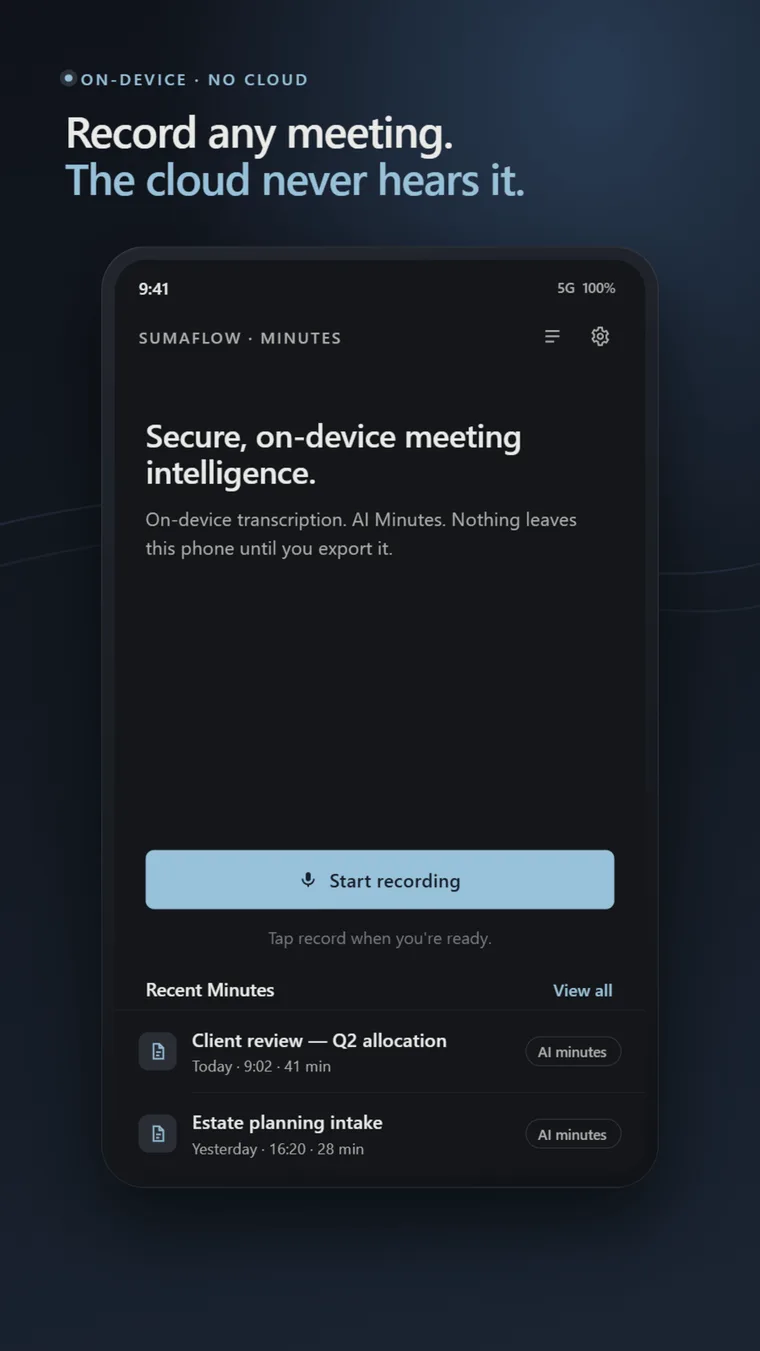
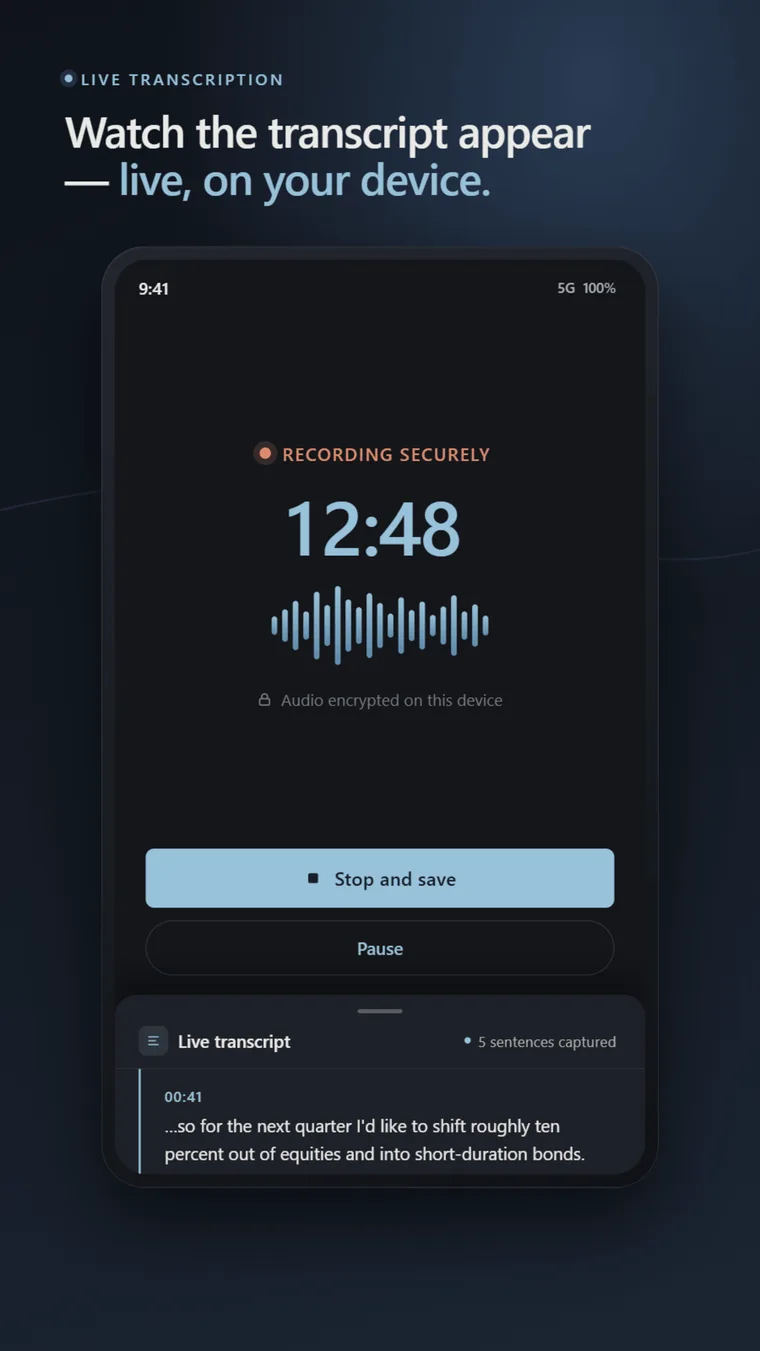
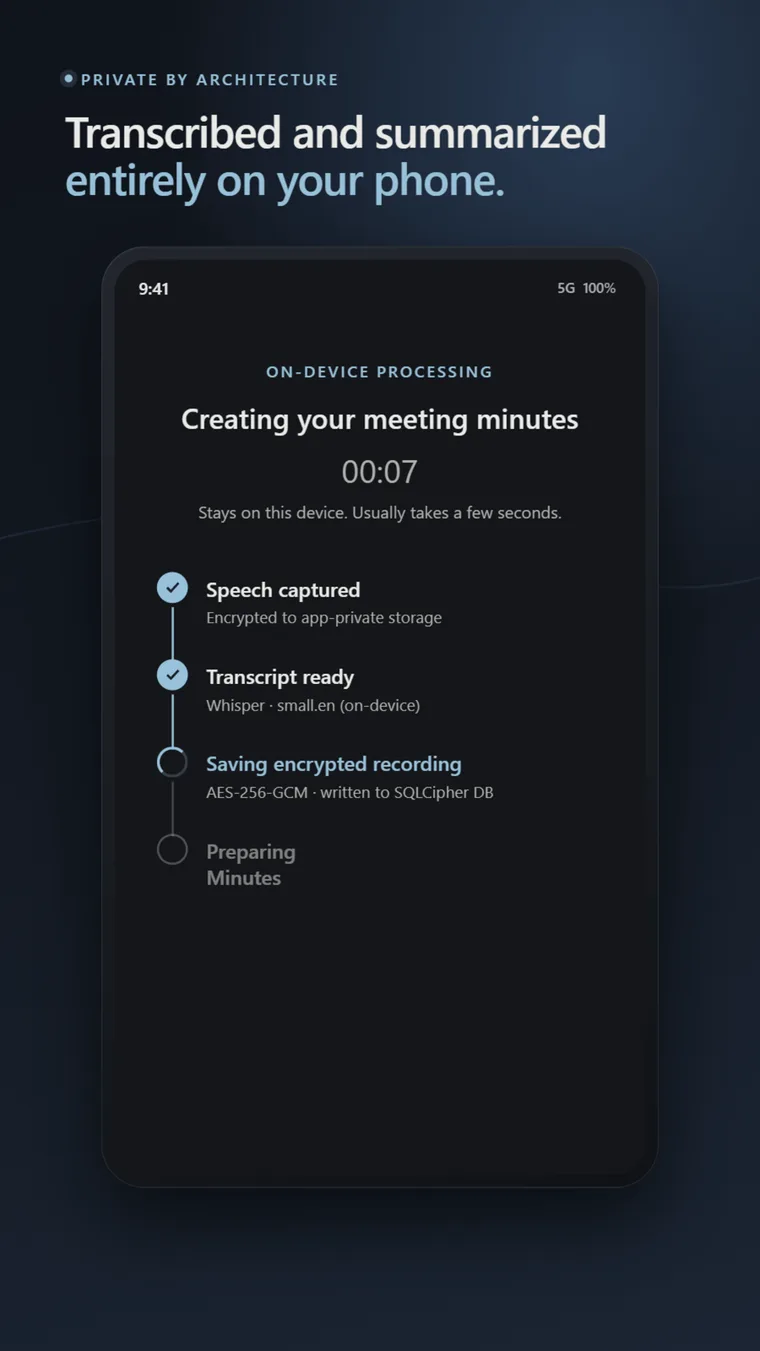
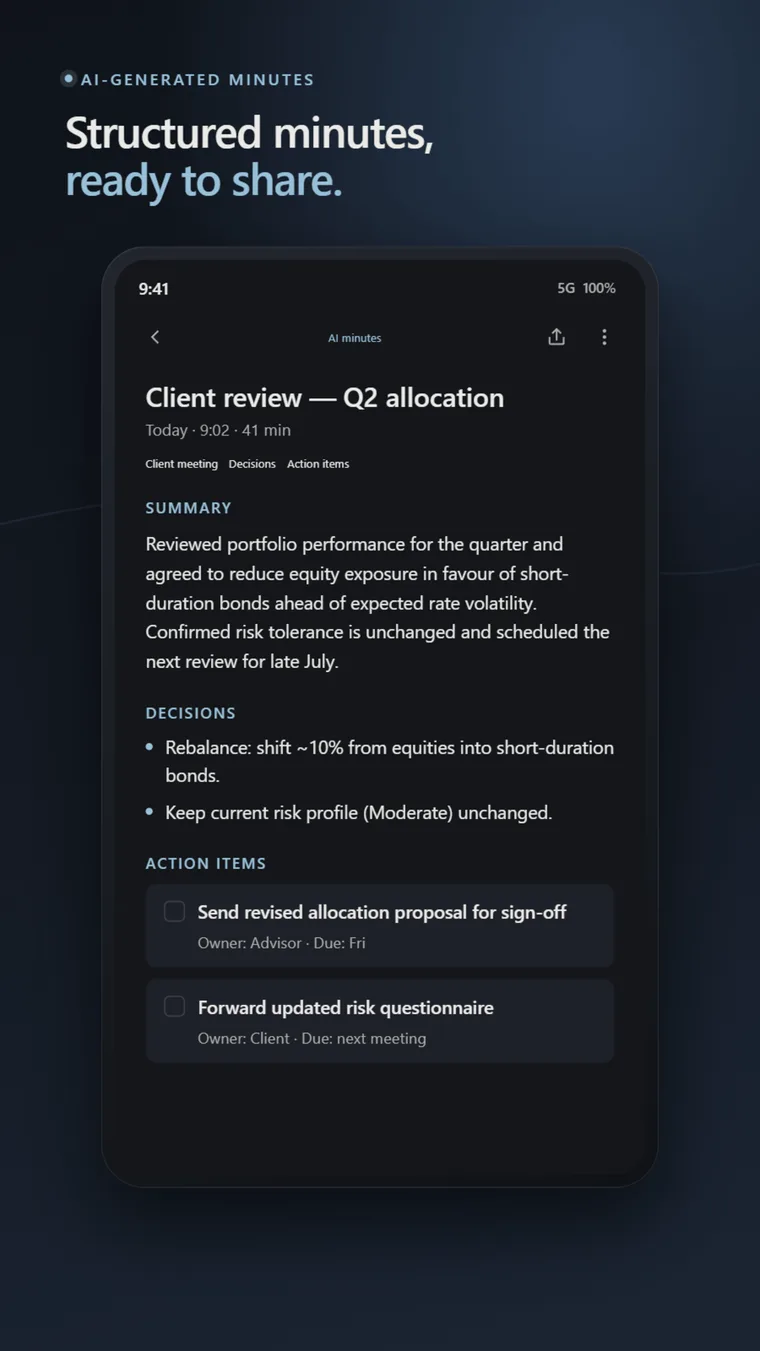
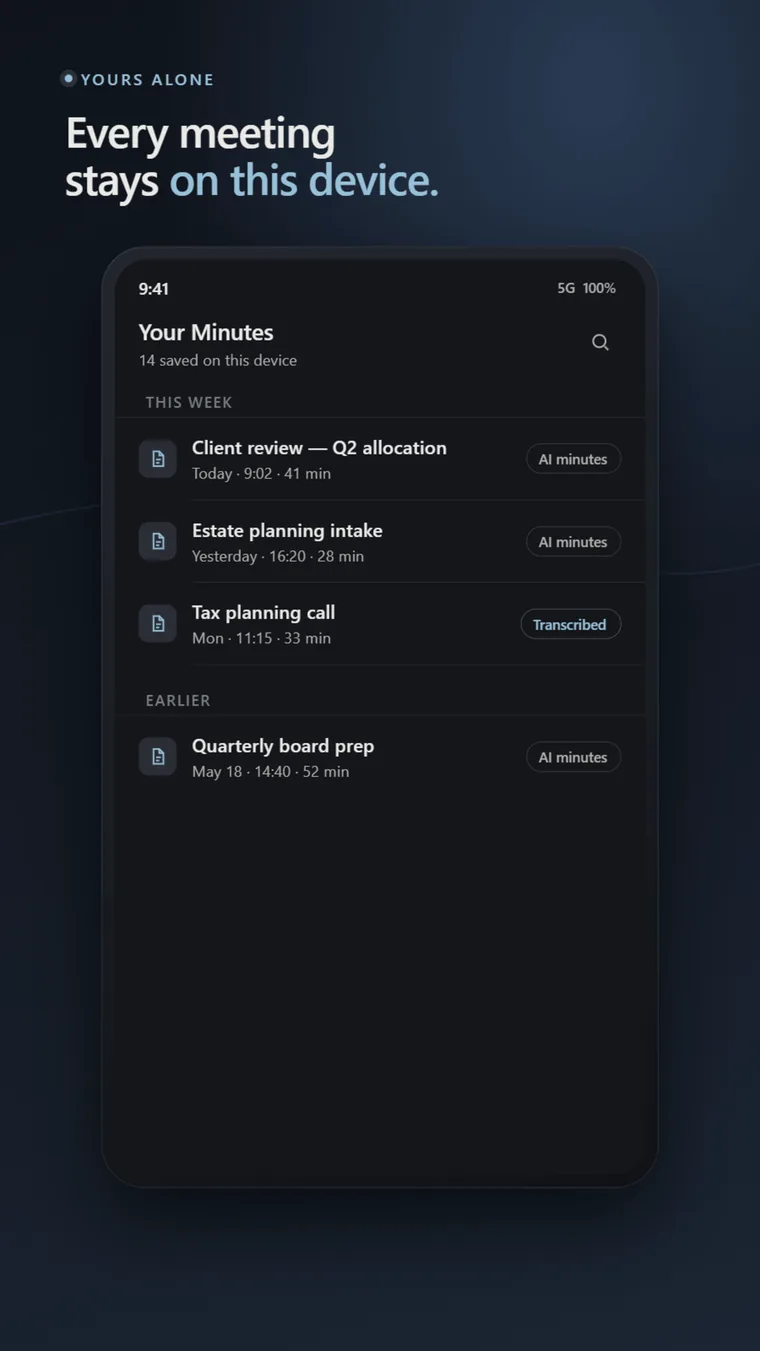
Every feature exists to support a regulated professional doing real work. No bots, no calendar scraping, no auto-join — just a recorder, a transcriber, and a minutes generator that stay on your phone.
One tap to start. Recording continues with the screen off and survives incoming calls. Auto-save every 30 seconds.
Off, verbal capture, or silent confirmation. Includes a built-in guide to one-party and two-party consent jurisdictions.
Whisper runs locally on your phone, during and after recording. The base English model ships with the app. No audio uploaded, ever.
An opt-in pull-up sheet shows the transcript building as you speak. The calm recording screen stays the default — reach for the live view only when you want it.
Client Meeting Minutes, Decision Register, Action Items with Owners, and General — each led by a short summary. On-device AI (Gemma 4 E2B) writes them, with a template fallback. Edit before exporting.
SQLCipher-encrypted database, AES-256-GCM audio files, key in Android Keystore (StrongBox where available).
Every export captures a timestamp, destination, and SHA-256 hash of the content. Append-only. Exportable as CSV.
Everything happens between the microphone and the SQLCipher database on your phone. The only data path out is the export button — and only when you tap it.
Tap once. The recorder captures audio at 16 kHz mono to an encrypted file on your device. Pause and resume supported.
Whisper runs locally via Dart FFI. The base English model ships in the app. The transcript can build live as you record in an opt-in pull-up sheet, with a post-stop pass as backup. No audio is uploaded — there is nowhere to upload it to.
Gemma 4 E2B runs on-device via LiteRT-LM — an open-weight model you download once over Wi-Fi (~2.6 GB, optional) that works on most Android phones, not just flagships. Every set of minutes leads with a short summary. A deterministic template extractor covers devices that decline the download or are RAM-constrained.
PDF, email draft, share sheet, or copy to clipboard. Every export shows a confirmation screen and writes an entry to the local audit log.
SumaFlow Minutes is designed for professionals whose work is governed by confidentiality obligations or principle — and who cannot use cloud meeting tools as a result.
Solo RIAs and registered investment advisors who run 25–80 client meetings a month and cannot use cloud meeting tools because of fiduciary duty and Reg BI obligations. US, UK (FCA), AU (ASIC), and SG advisors alike.
Professionals whose work is confidential by default — privileged conversations, session notes, source interviews. Currently fall back to a yellow pad because cloud AI tools are off-limits.
Developers, security professionals, and journalists who will read the architecture page, inspect the manifest, and only adopt tools whose claims they can verify. SumaFlow Minutes is built for them.
Auditors, compliance officers, healthcare and insurance staff, HR teams, and anyone bound by recordkeeping or confidentiality rules that rule out cloud transcription. If a conversation cannot leave the building, it does not have to leave the phone.
SumaFlow Minutes is free to download and stays fully usable for free. Pro adds depth for heavy daily users — on the same on-device, no-cloud architecture.
SumaFlow Minutes has no ads, no analytics, no data sale, and no investors monetizing you. Pro is how a tool with clean incentives stays alive. Your records stay on your device whether you pay or not — Pro adds power tools for people who live in the app, and keeps the lights on without compromising the privacy this product is built on.
And there is no lock-in: access to everything you’ve recorded is always free. Pro adds tools — it never locks or paywalls the meetings you already have.
| Feature | Free | SumaFlow Minutes ProPro |
|---|---|---|
| Included in every tier | ||
| Single-tap recording One tap to start — recording continues with the screen off, survives calls, and auto-saves. | ||
| Unlimited recordings & minutes No caps or quotas — limited only by your device’s storage. | ||
| On-device AI minutes · Gemma 4 E2B Structured minutes generated locally by Gemma 4 E2B via LiteRT-LM, with a deterministic fallback. | ||
| Live transcript Pull up a live transcript sheet to watch the text build as you speak. | ||
| Configurable consent prompt Off, verbal capture, or silent confirm — with a built-in one- and two-party consent guide. | ||
| Encrypted local storage AES-256-GCM audio and a SQLCipher database, keyed in the Android Keystore. | ||
| Exports, retention & audit log All export paths (PDF, email, copy, share), retention controls, and the append-only audit log. | ||
| No account, no ads, no telemetry No sign-up and nothing phoning home — on every tier. | ||
| Pro power tools | ||
| On-device transcription Whisper runs locally as you record. Pro adds the larger Whisper Small model and one-tap re-transcribe. | Base model | Whisper Small + |
| Minutes templates Four built-in templates free. Pro adds legal, therapy, and interview packs plus your own custom structures. | 4 built-in | Packs + custom |
| Audio playback & transcript sync Play the recording back and tap any transcript line to jump to that moment. | — | |
| AI faithfulness & detail controls Tune length and style. The never-invent accuracy floor always stays on. | — | |
| On-device full-text search Search across every meeting’s transcript and minutes — all on device. | — | |
| Merge & batch export Combine multiple meetings into a single compliance-ready document. | — | |
| Encrypted device-migration backup Move your whole archive to a new phone with a zero-knowledge, encrypted backup. | — |
Everything in Free stays free — Pro only adds tools, and never locks the meetings you already have.
SumaFlow Minutes Pro unlocks every power tool above. Choose the plan that fits — the app and your meeting history stay free either way.
Billed monthly. Cancel anytime.
Best value — about $6.58/mo.
Own it — one payment, no renewals.
Prices in USD; Google Play shows your local price. Pro is purchased in the app.
Free to download on Android. Upgrade to Pro from inside the app whenever you’re ready.
Yes. The full record → transcribe → generate minutes flow runs entirely offline. SumaFlow Minutes does not need a network connection to do its job — that is the point.
No. Audio, transcripts, and minutes stay on your device. There is no server, no account, and no cloud sync. We do not have a copy of your data because there is no place for us to put one.
No. We cannot read what we never receive. The app does not transmit your audio, transcripts, or minutes to us or to any third party. The core app makes no outbound network calls carrying your content; the one network use is the opt-in AI model download from huggingface.co, which only pulls a public model file down to your device. A privacy regression test enforces huggingface.co as the only allowed host.
We do not claim regulatory certifications. The architecture is designed to support your confidentiality obligations under frameworks like Reg BI, FINRA recordkeeping, FCA, ASIC, and similar regimes — but compliance with any specific framework is your responsibility. We recommend reviewing the privacy architecture page with your compliance officer before adoption.
Android 10 or newer, ARM64, with at least 4 GB of RAM. On-device AI minutes generation (Gemma 4 E2B via LiteRT-LM) runs on most phones that meet those minimums — no flagship required — after a one-time ~2.6 GB model download over Wi-Fi. If you skip the download or your phone is short on free memory, a deterministic template-based extractor produces useful — if less fluent — minutes instead.
SumaFlow Minutes is free to download and stays fully usable for free — the privacy core, your full meeting history, and every export path are always free. SumaFlow Minutes Pro is an optional in-app purchase ($9.99/month, $79/year, or $149 once for lifetime) that adds power tools like higher-quality transcription, custom templates, on-device search, and merge & batch export. Pro is how we keep the lights on with no ads, no analytics, and no data sale.
No. Pro runs entirely on-device, exactly like the free app — your audio, transcripts, and minutes never leave your phone. Billing is handled by Google Play, so we never see your payment details, and there is no SumaFlow account or server in the path.
No. Your recordings and minutes are always yours and always free to open — Pro only adds tools, it never locks or paywalls the meetings you already have. If Pro lapses, the power-tool features switch off, but nothing you recorded is taken away.
Now. SumaFlow Minutes is live on Google Play for Android, free to download. Upgrade to SumaFlow Minutes Pro from inside the app whenever you want the power tools.
Not yet — Android first. The on-device engines (Whisper via FFI, Gemma 4 E2B via LiteRT-LM) are cross-platform, so the AI path would port directly, but the larger lift is rebuilding the app. iOS is on the v2.0 roadmap.
It can, if you want it to. The recording screen stays calm and minimal by default, but you can pull up a live transcript sheet to watch the text build as you speak. Either way the full transcript is saved when you stop. None of it leaves your phone.
Three modes you can configure: Off (records immediately), Verbal capture (plays an editable consent script and records the response as the first segment), or Silent confirm (a modal asks you to confirm you have obtained consent before recording starts). Two-party consent jurisdictions are supported — the in-app guide explains where each applies. This is not legal advice.
The privacy-critical modules — recording, encryption, key management, and the network manifest — are open source under a permissive license on the SumaFlow-App GitHub organization. The full app remains a commercial product, but the parts you would want to audit are publicly verifiable.
SumaFlow Minutes Record, transcribe, and generate minutes entirely on your phone. Free to download — upgrade to Pro in the app whenever you want the power tools.

Scan to install · Free on Google Play · Android
SumaFlow Minutes is an independent product. Google Play is a trademark of Google LLC.